Connect Meta Ads to Joxy
If you already have a Meta / Facebook ad account, ask the agent in Joxy chat to connect Meta Ads. Use the connect chip, finish the login window, and select your ad account.
Full flow
1 Ask in chat
2 Click connect chip
3 Log in with Facebook
4 Select ad account
5 Confirm Connected
1. Before you start
- You already have access to the Meta ad account you want Joxy to use
- Use the Facebook login that can see that ad account in Meta Business / Ads Manager
- Allow popups for www.joxy.ai (or your Joxy app URL) so the connect window can open
You do not create a Meta developer app for this. Joxy opens a secure connect window and links your existing ad account.
2. Connect in Joxy chat
-
Ask the agent for the connect chip
- Open https://app.joxy.ai and go to chat
- Ask something like: “Connect Meta Ads”
- The agent will give you a Connect Meta Ads chip in chat
- Click the chip
- If Joxy asks you to name the connection, enter a short label such as agency or brand (letters and numbers only)
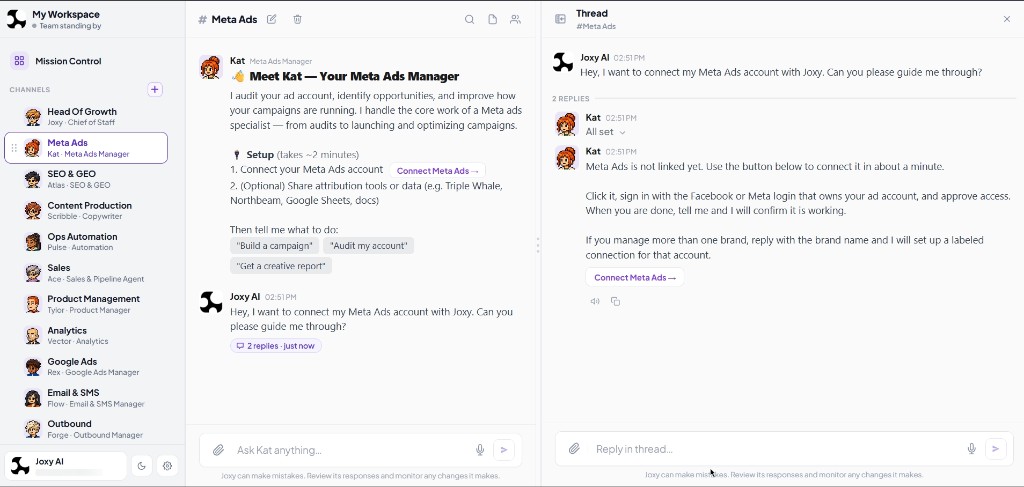
In chat, click Connect Meta Ads → -
Finish the connect window
- A popup opens
- Sign in with Facebook
- Approve access for the Business / ad accounts you want Joxy to use
- Select the ad account before you close the window
- Leave the window open until Joxy finishes linking
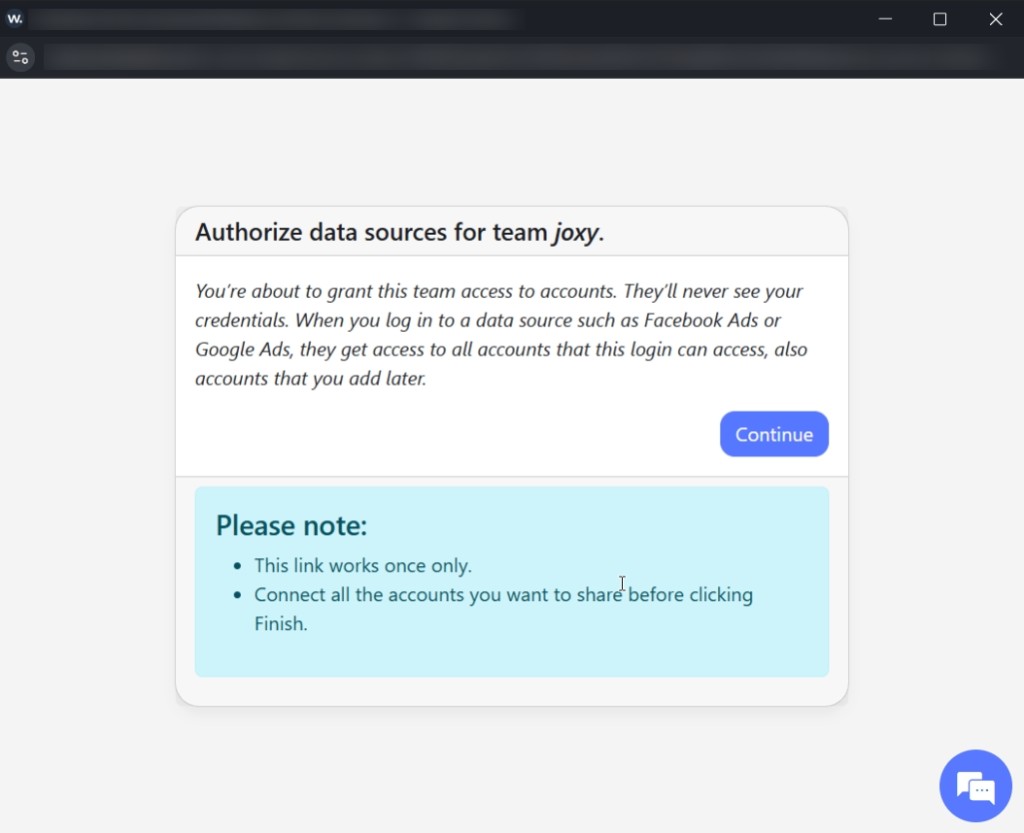
Click Continue to authorize data sources 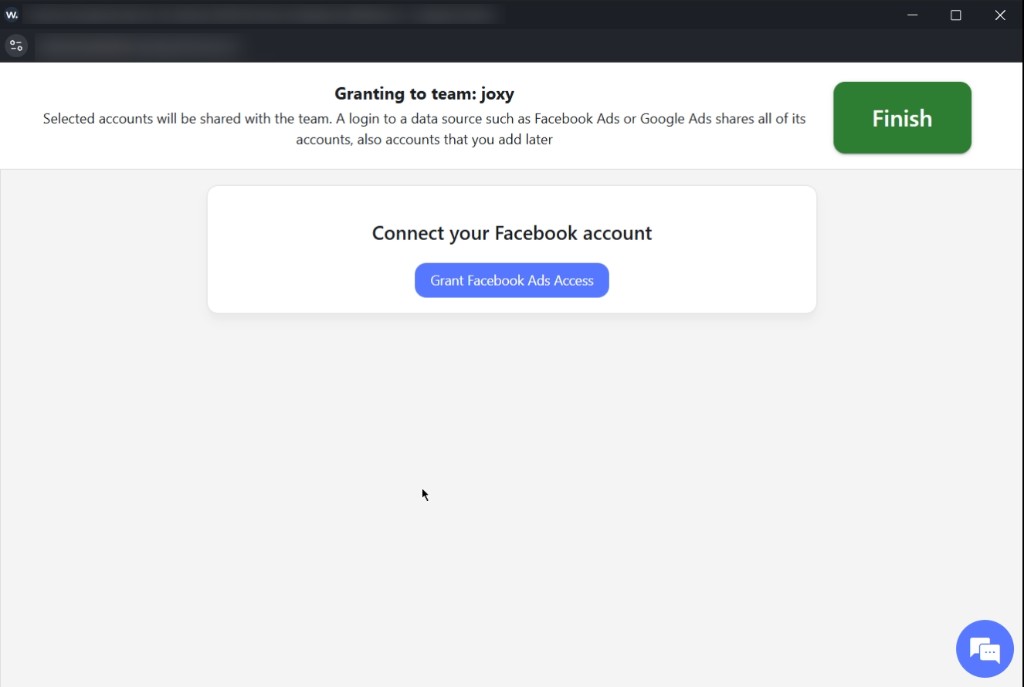
Click Grant Facebook Ads Access 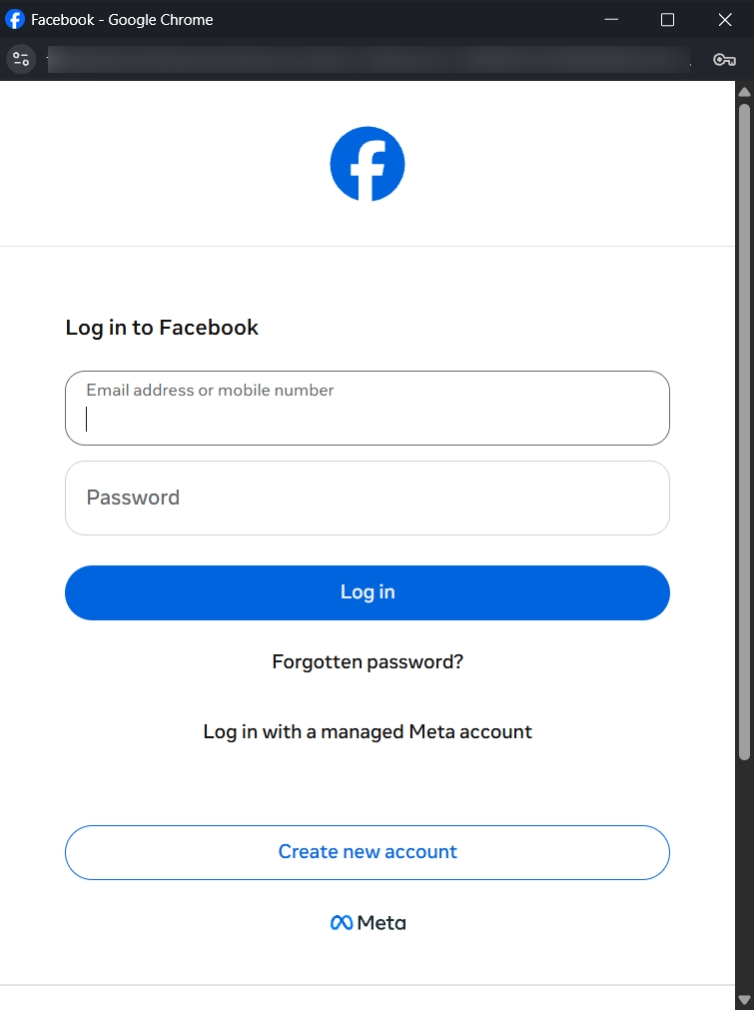
Sign in with the Facebook login that can see your ad account 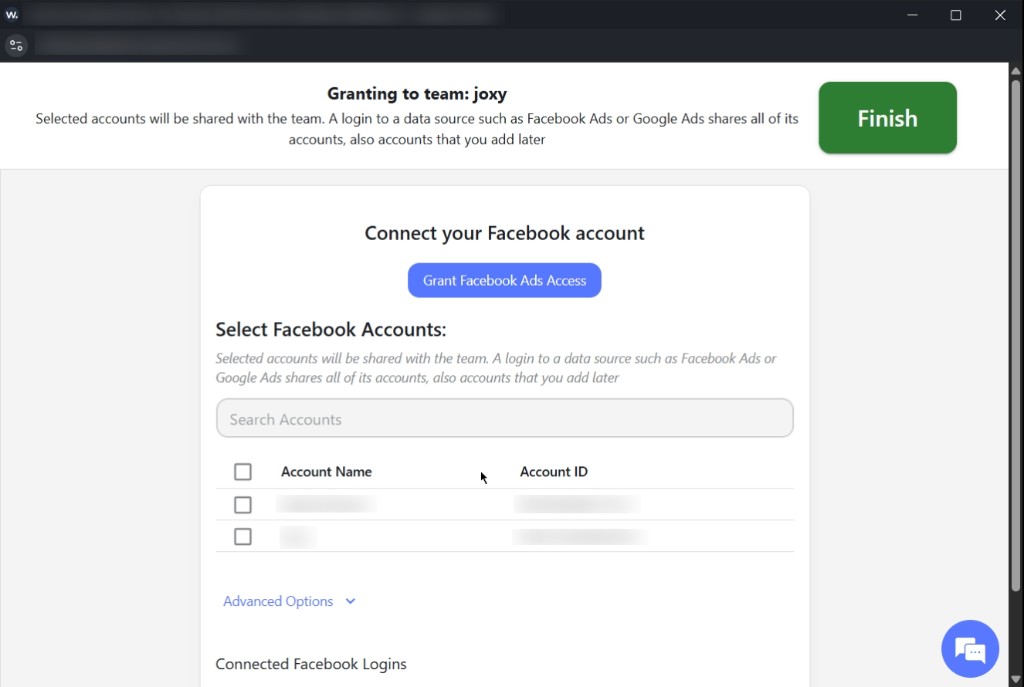
Select the ad account(s), then click Finish -
Confirm it worked
- Back in chat, Meta Ads should show as connected
- If the popup closes too early and nothing is connected, ask the agent again and click the connect chip once more
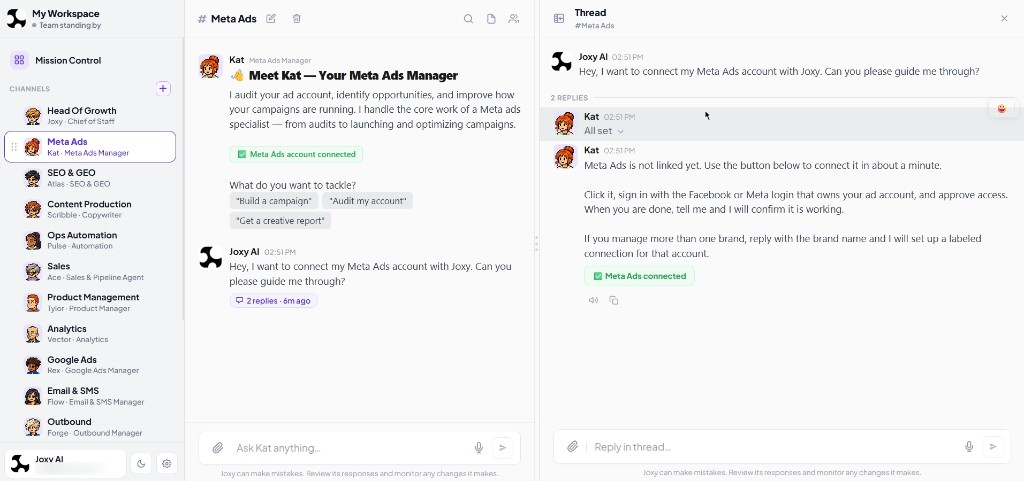
Back in chat, you should see Meta Ads account connected
Most failed connects happen when the Facebook login finishes but no ad account is selected/shared before the window is closed.
3. After connect
- Ask Kat in the Meta Ads channel to audit campaigns, spend, ROAS, and creative performance
- If you connect more than one Meta account later, use a different label for each one
- If the wrong account was linked, ask the agent to disconnect Meta Ads, then connect again with the correct account selected
Connecting links your existing ad account for use in Joxy. Campaign changes still go through normal chat confirmation when an agent proposes a write.
Troubleshooting
Popup was blocked
Allow popups for Joxy, then ask the agent again and click the connect chip.
Login finished, but Joxy still says not connected
Ask “Connect Meta Ads” again, click the chip, and make sure you select an ads account in the connect window before closing it.
Wrong ad account connected
Ask the agent to disconnect Meta Ads, then connect again and choose the correct account.
No ad accounts appear
Confirm that Facebook user can open the ad account in Ads Manager / Business Suite, then retry the connect chip with that same login.